 Inbox Spy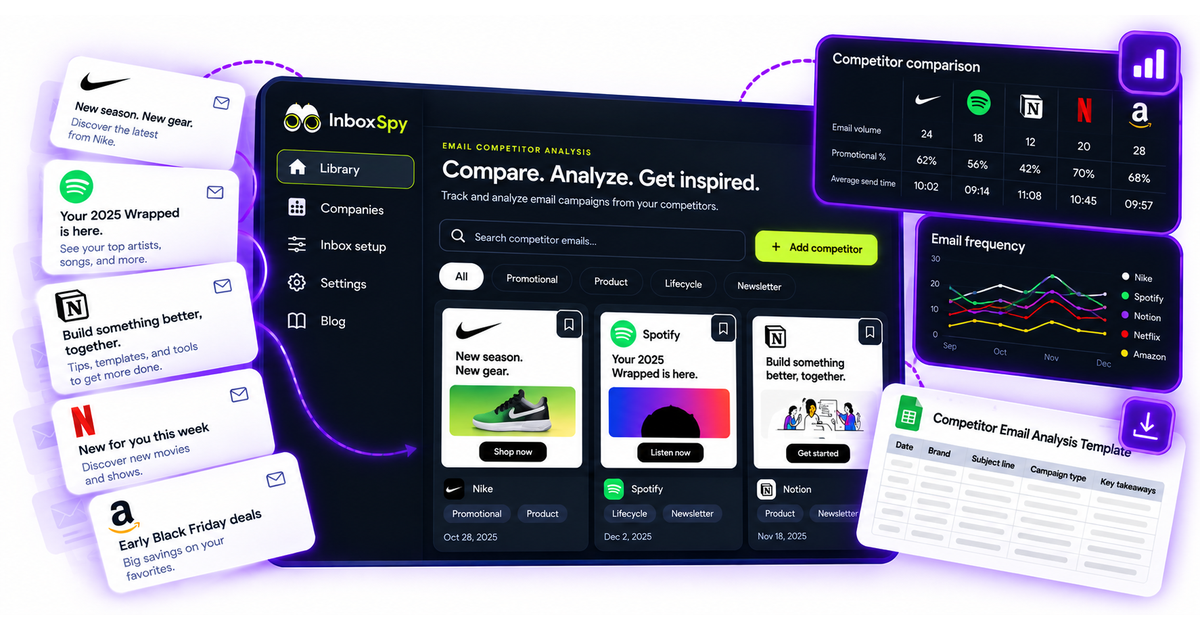
What competitor email analysis can and cannot tell you
Email marketing competitor analysis is the process of studying competitor emails with enough context to make a better decision. It is different from saving random inspiration. A useful analysis compares what competitors sent, when they sent it, who likely received it, what promise they made, what action they asked for, and what that pattern suggests about the market.
Competitor emails can show messaging themes, lifecycle timing, offer structure, CTA language, proof points, design patterns, and the way brands explain value. They can also reveal what a company repeats over time. If three competitors all teach a setup workflow before asking for a demo, that pattern is worth noticing.
Competitor emails cannot show open rate, click rate, revenue, deliverability, or whether a campaign was an A/B-test winner. A captured email is evidence of what was sent, not proof that the campaign performed. Treat each observation as a clue for your own research and testing, not as a shortcut around customer knowledge.
Start with one analysis question
The fastest way to make competitor email research messy is to analyze everything at once. Pick one business question before collecting examples. The question decides which competitors to track, which signup path to use, and which fields belong in the worksheet.
Good questions are specific. Instead of "What are competitors doing with email?" ask "How do competitors move new trial users toward activation?" or "How are competitors framing Black Friday discounts before the sale week?" or "Which proof points appear in retention emails?" A focused question prevents the archive from becoming a gallery of nice designs.
Choose three relevant competitors
For the first analysis, choose three competitors. Three is enough to see patterns without drowning in evidence. Pick one direct competitor, one category leader, and one adjacent brand with a strong email program. If you sell to SaaS teams, that adjacent brand might not solve the exact same problem, but it may teach the market in a way worth studying.
Record why each company was chosen. That note protects the analysis later. A competitor selected because it wins deals against you should be interpreted differently from a brand selected because its lifecycle messaging is excellent. The worksheet should make the reason visible.
Use the same signup context when possible. If you compare one company newsletter, one free trial, and one webinar follow-up, the analysis will mix different journeys. That can be useful in a broad market scan, but it is weaker for a focused comparison.
Record source, date, actions, and collection window
Competitor email analysis needs a clean method. At minimum, record the signup URL, signup date, tracking address used, observed action, first email date, and collection window. If you clicked a confirmation link, started a trial, added a product, abandoned a cart, or attended a webinar, write that down.
The collection window matters because email journeys change with time. A seven-day onboarding analysis is not the same as a 30-day lifecycle analysis. A holiday campaign captured in November should not be compared casually with evergreen newsletter content from March. Clear dates make the conclusion more trustworthy.
Keep the evidence accessible. Save the full email, not only a screenshot. Preserve subject line, sender, received date, links, body content, and visual layout when possible. Screenshots are useful for presentations, but the full email gives the team more context when the analysis is challenged later.
Compare purpose, timing, offer, CTA, and creative
Once the emails are captured, compare them through the same fields. Purpose explains why the email exists. Timing shows when it was sent in relation to signup, purchase intent, or a market event. Offer describes the value exchange. CTA shows the next step the brand wants. Creative covers layout, proof, tone, and visual emphasis.
Do not score everything equally. If your question is about onboarding, timing and message purpose may matter more than visual style. If your question is about promotion, offer structure and urgency may matter more than education. The worksheet should serve the decision, not the other way around.
A strong comparison usually produces two outputs: observations and implications. Observation: "Two competitors send a setup checklist in the first 24 hours." Implication: "Our welcome sequence may need a clearer first-step email before we ask users to explore advanced features." The implication is where analysis becomes useful.
A completed three-brand comparison example
The example below is fictionalized to show the format. Replace the sample brands with your own competitors and link each row to the saved email evidence in your archive.
A simple conclusion might be: "Competitors are not all asking for the same action. One reduces setup friction, one educates, and one asks for a sales conversation. Our next test should separate first-step education from demo conversion instead of asking new users to do both in one email."
Free competitor email analysis template
Use this worksheet for each email or sequence you review. The goal is to make the evidence easy to compare and easy to turn into a recommendation.
Turn observations into testable hypotheses
The best output from competitor email analysis is not "copy this email." It is a clearer test idea. A useful hypothesis connects an observation, a reason, and a measurable next step.
Observation: two competitors use setup checklists before introducing advanced features. Hypothesis: if our welcome sequence starts with a one-task checklist, more new users will reach the first meaningful action. Test: send checklist-first onboarding to half of new signups and compare activation rate.
Observation: competitors frame discounts around deadlines, but rarely explain the product outcome. Hypothesis: adding outcome-led copy before the deadline may attract buyers who need the tool, not only the discount. Test: compare deadline-only promotional copy against outcome-plus-deadline copy.
Observation: category leaders include proof before the CTA. Hypothesis: adding a short customer quote or metric before the primary CTA will increase qualified clicks. Test: run a proof-before-CTA variant in a nurture email and measure downstream signup quality, not just click rate.
How to present the analysis to your team
A competitor email analysis report should be short enough for a campaign owner to use. Start with the question, the competitors reviewed, the collection window, and the signup sources. Then show the comparison table, three screenshots or saved email links, and the recommended tests.
Keep the recommendation separate from the evidence. Evidence says, "Brand A sent a checklist immediately after signup." Recommendation says, "Test a checklist-first welcome email because our current first email asks for too many actions." That separation makes the report easier to trust. People can disagree with the recommendation without losing the original observation.
End with an owner and a next step. A good report does not stop at "interesting examples." It should say who will write the test, which audience receives it, which metric matters, and when the result will be reviewed. If the analysis cannot produce a next step, narrow the question and review fewer emails.
Common mistakes in competitor email analysis
The first mistake is mixing different journeys. A newsletter, a free trial, a webinar follow-up, and a pricing-page form can all produce different emails. If you compare them as if they are the same campaign type, the conclusion will be weak. Group emails by source and journey before drawing patterns.
The second mistake is overclaiming performance. You can say a competitor used urgency, proof, or a discount. You cannot say it converted better unless you have performance data. Use phrases like "this suggests," "this may be worth testing," and "this gives us a hypothesis" instead of presenting competitor behavior as proof.
The third mistake is ignoring absence of evidence. If a competitor does not email during your collection window, that does not prove it has no automation. It may depend on segment, geography, plan type, behavior, or timing. Record what you observed and the limits of the observation.
The fourth mistake is copying surface details. Design, tone, and subject lines are visible, but the strategy underneath matters more. Ask why the message exists, what friction it addresses, and what buyer belief it tries to change. That is where competitor analysis becomes useful.
How to collect the evidence in Inbox Spy
Start by creating a free Inbox Spy workspace and adding three competitors. Use the tracking address for each company when subscribing to the relevant newsletter, trial, webinar, or form. When emails arrive, Inbox Spy files them into the right company archive so the evidence stays separate from personal inbox noise.
During analysis, open the company archive and review messages by source, date, and purpose. Save the strongest examples as evidence for your worksheet. If you need to share findings with a client or teammate, use the saved email and PDF evidence instead of relying on memory or cropped screenshots.
For the collection workflow itself, read the competitor email monitoring guide. For cleaner attribution, use tracking addresses for market research. If you want to save reusable inspiration after the analysis, organize the strongest examples in an email swipe file.
Start analyzing competitor emails with cleaner evidence
Create tracking addresses for three competitors, collect the emails in one workspace, and turn the archive into better campaign tests.
Create free workspace